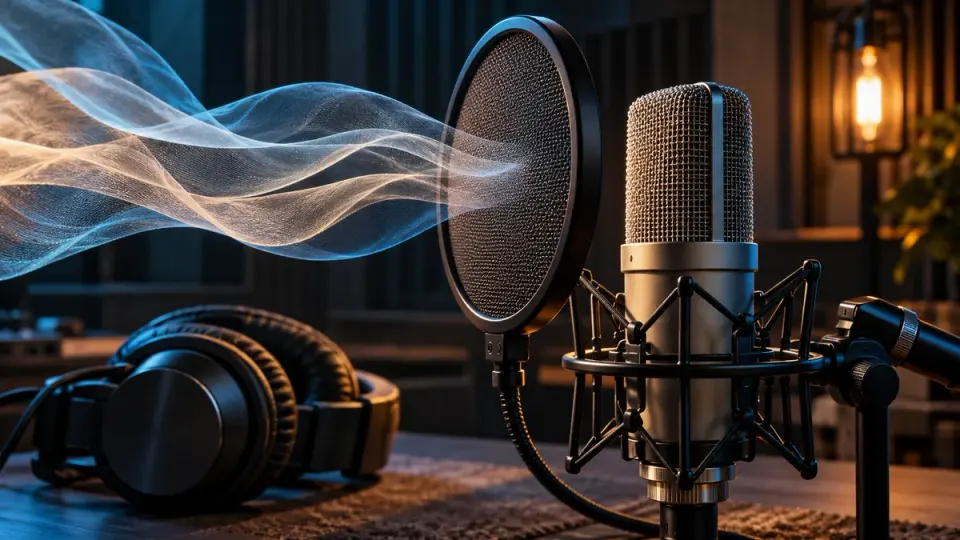
To remove plosives from a voice recording, first identify the low thump caused by air striking the microphone and check whether it also contains distortion. Work on a copy, mark the affected word and compare a small local level edit, selective low-frequency treatment or a dedicated de-plosive trial. Avoid cutting bass from the entire recording just to soften a few P or B sounds. Keep the consonant recognizable, preserve timing and compare complete phrases at similar listening levels. Severe overload may need another source or a retake; ordinary background-noise reduction cannot guarantee reconstruction of the missing speech.
First distinguish an air blast from another kind of pop
People use the word pop for several different problems. A pressure burst at a microphone can produce a heavy thump as a speaker says a word. A lip click is a different event, and a click at an edit boundary may not have come from the speaker at all. Applying the same correction to all three can sacrifice useful articulation.
The HARMAN explanation of pop filters describes fast-moving air striking the microphone and notes that saturation can also be involved. That matters after recording: a low thump and an overloaded word are not necessarily the same repair task. Lowering the thump does not establish that any accompanying distortion has been restored.
Listen to the unprocessed file outside your editing chain, then compare the same word with effects bypassed. If only the processed version sounds harsh, investigate the processing first. If the defect remains in the original, keep a copy and evaluate the recorded event rather than raising a general cleanup setting.
| What you hear | Useful working distinction | First route to evaluate |
|---|---|---|
| A low air thump attached to a consonant | Recorded plosive event | Local attenuation or restrained event-specific treatment |
| A brief dry lip tick | Mouth-related transient | Click-specific diagnosis rather than a broad low cut |
| A rough, flattened or crunchy word | Possible recorded overload | Cleaner source or distortion assessment |
| A low rumble throughout whole sentences | Persistent background or capture problem | Frequency/background workflow, not individual word repair |
| A tick exactly at a new edit | Possible discontinuity at the join | Inspect the edit boundary and transition |
These are starting points, not a diagnosis from a waveform alone. For related lip ticks, use our mouth-click repair guide. Do not count every visible peak or naturally emphatic consonant as a defect that must disappear.
Step 1: Build a word-level review set
Collect several short passages before changing anything. Include an obvious air thump, a milder example, a low-pitched phrase that already sounds acceptable and an ordinary P or B that you want to preserve. Add any event that sounds distorted rather than merely bass-heavy. This gives a proposed repair a chance to fail before you apply it widely.
Keep enough sentence context to recognize the speaker's intended word. Working on the isolated first milliseconds can make a damaged consonant seem acceptable until the full phrase reveals that its beginning has gone missing. For an interview, include both speakers if their voices or microphone positions differ.
Mark the event time, affected word, severity and suspected problem in a simple record. An illustrative entry could say: low thump at the start of a word, no obvious crunch, try local reduction. Another could say: distorted syllable, compare backup microphone. These are suggested review notes, not observations from a test file we processed.
Preserve the least-processed source. A previous export may already have filtering, gating or limiting applied, so ask for the recorder's original or another microphone track when possible. Do not overwrite it with your first successful-looking repair.
Step 2: Try a small local level edit before rebuilding the sound
For a clearly localized event, test whether a gentle volume change makes the thump less distracting without losing the beginning of the word. Start with a narrow but context-aware region and make smooth transitions back into the untouched audio. Keep the time interval intact.
This is not an instruction to mute every consonant onset. The low burst may overlap useful speech, and reducing the entire event also reduces what you wanted to keep. Expand playback to the complete word and ask whether it is still immediately understandable without reading the script.
Compare an unmarked, already acceptable word as well. If you have accidentally selected too much surrounding material, the repair can make the voice dip or change character. Undo that edit and reduce its scope instead of compensating by turning up the next part of the syllable.
Do not ripple-delete the thump from an audio-only export intended to return to video. Deleting time can move later dialogue against the picture. A repair can change level or frequency content while retaining the existing interval; an editorial cut should be a deliberate picture-and-sound decision.
Step 3: Evaluate local filtering for both benefit and voice cost
If the distracting part is mainly low-frequency energy, a selective filter may be worth a trial. Audacity's High-Pass Filter reference explains that lower frequencies are attenuated according to the cutoff and roll-off rather than removed behind a perfect wall. A high-pass filter cannot inherently distinguish unwanted pressure from useful low voice content.
For a few isolated events, evaluate treatment on those events rather than assuming the whole recording needs less bass. Compare the affected phrase with the original and with the local-level-only version. Reject a result that removes the thump but leaves a noticeably smaller or less natural word.
There is no universal cutoff or preset in this guide. Voices, microphones and damage differ, and a value quoted in someone else's tutorial is not evidence for your file. If you need to understand the broader choice between continuous filtering and background estimation, our high-pass versus noise reduction guide owns that comparison.
Check the boundaries of the treated region. A sudden change in low-frequency character can be audible even when the middle of the repair sounds acceptable. Use your editor's appropriate reversible selection or automation method, then verify the exported passage rather than assuming the timeline view proves a transparent edit.
Step 4: Trial a dedicated de-plosive tool without assuming success
Repeated air blasts may justify evaluating specialized restoration instead of manually treating every word. iZotope's official plosive-removal tutorial describes a De-plosive workflow with detection sensitivity, reduction strength and an upper frequency limit. The dated tutorial illustrates RX 10; it is not a current-plan entitlement table or proof of performance on your material.
Use the documentation for the version you actually have. Compare a short trial with bypass, including clean consonants and the lowest natural phrase in your review set. A processor that reduces strong thumps but alters those control passages has not passed the task just because the worst peak became smaller.
Keep the unfiltered original available and check any documented processing-order requirements before combining operations. Do not turn a historic manual's recommendations into a rule for every current restoration tool. This article is a document-based method checked on October 22, 2026, not an installed-software review, a speed test or a measured comparison of repair quality.
For mixed severity, keep exceptions. Some events may be acceptable after a restrained pass while others need a local edit, another source or no further processing. Repeating a whole-file operation until the last difficult word changes can damage passages that were already usable.
Step 5: Separate persistent distortion from a remaining thump
After a modest trial, ask what is still wrong. A reduced low bump with continued rasping suggests you should investigate distortion rather than simply remove more bass. A still-loud but otherwise intelligible word may need a different local balance. Neither conclusion can be established by comparing waveform height alone.
Our clipped and distorted speech guide covers recorded overload, playback problems and cautious repair boundaries. A de-plosive and a declipping operation are not interchangeable names for guaranteed voice restoration. Do not use either to claim that uncaptured or masked words have been recovered exactly.
If a backup recording is cleaner, compare its tone, room sound and timing before replacing the passage. For scripted narration, a complete phrase retake can be preferable to forcing a damaged syllable to match. For irreplaceable speech, retain the clearest defensible version and document what remains.
Keep the repair aligned with the video and the delivery chain
Save the accepted working version with its source reference and event notes. When returning an audio file to an editor, preserve its intended starting position and avoid unnoticed trimming, speed changes or replacement of the wrong track. Use our audio cleanup and video-editing order guide for the broader handoff.
Export a short review section before committing the entire program. Confirm that the repaired track is present, an untouched duplicate is not also audible and the word beginning remains recognizable. Watch an identifiable speaking or action cue near the beginning and end of the export, not only the repaired syllable.
Judge at comparable, comfortable speech levels. A quieter output may seem less aggressive without being clearer. Listen on headphones for local defects and an ordinary audience playback device for whether the sentence remains easy to follow. These are proposed acceptance checks, not reported listening-test results.
Reduce the next recording's risk without changing the performance blindly
A physical pop filter acts before the unwanted air reaches the microphone; it cannot undo a pop already stored in a file. Use it as part of a recording test, not as a promise that every strong consonant will become harmless. Also check the microphone's placement and recording headroom with the speaker's actual delivery.
Record a short passage containing the problematic words, then listen before the full take. Change one practical factor at a time so you know whether a different position, filter placement or level helped. Avoid asking the speaker to erase all articulation or to speak unnaturally just to satisfy a clean-looking meter.
Maintain a repeatable position once an acceptable arrangement is found. A prevention test should include normal emphatic speech, not only a cautious whisper. If a different position adds too much room sound, evaluate that tradeoff rather than treating distance as a universal fix.
Where NoiseVanish fits, and where it does not
NoiseVanish is intended for steady background noise around spoken recordings. If the file also contains a continuous fan or hiss, evaluate that separate task through our audio noise-removal workflow. Compare the original and the actual result before continuing.
Do not choose it on the assumption that it includes a dedicated De-plosive module, manual spectral controls or a real-time microphone plugin. Keyboard strikes, background voices, overlapping audio and severe echo have different limitations and can remain. Ordinary background cleanup cannot guarantee reconstruction of overloaded speech or removal of every air blast.
The NoiseVanish Editorial Team writes this guide and has a commercial interest in the service. A local editor, a dedicated restoration tool, a cleaner source or a retake may be the better choice for this job. The aim is a less distracting recording with intact words, not an instruction to use our product for every sound problem.
Frequently asked questions
Can I fix P pops after the voice has already been recorded?
Sometimes local attenuation, selective filtering or specialized repair can make the event less distracting. A clean result is not guaranteed, especially if the microphone or recording chain overloaded. Review the complete word, retain the original and choose another source or retake when correction damages articulation.
Is a plosive the same as a breath or mouth click?
No. A breath may be part of a natural pause, a mouth click is a short transient, and an air blast can create a low pressure thump at the microphone. Listen in context before choosing a repair. One recording can contain several of these problems at once.
Why does removing the thump make my voice sound thin?
The treatment may also reduce useful low-frequency voice energy or cover too much of the syllable. Compare a smaller local edit with the original. Do not remove bass across otherwise acceptable phrases merely because one word is difficult to repair.
Should I delete the beginning of every word that pops?
No. That beginning may be necessary to recognize the word. Deleting time can also change pacing or video alignment. Evaluate a reversible change that preserves the interval, and reject a repair that changes intelligibility even if the audible thump disappears.
Does a smaller waveform prove the plosive is repaired?
No. Lower level, reduced bass and actual restoration are different outcomes. Approve the passage only when the words, voice character, transitions and timing remain usable in the exported recording. Record remaining exceptions rather than assuming the visual change proves a successful repair.