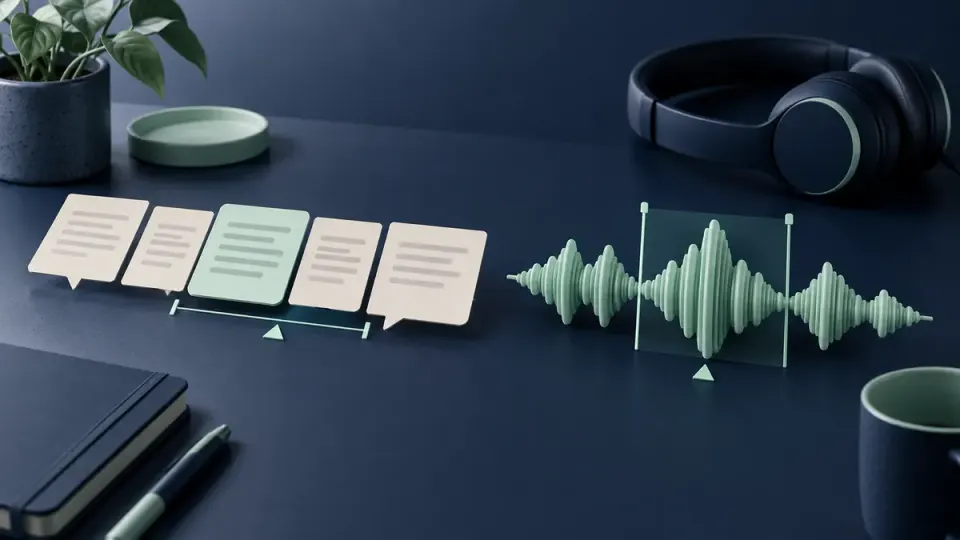
Choose Descript when your main interview task is deciding which spoken passages to keep and you want to work through a linked transcript. Choose an Audacity audio workflow when your immediate task is inspecting a sound, adjusting a local level or making a controlled waveform edit. Neither choice automatically produces better speech. For video, decide which project owns the picture edit before moving audio between applications. Keep the original recording, test a short export and return, and listen across every changed boundary. If steady background noise remains, evaluate cleanup separately rather than treating content editing, transcription and denoising as the same operation.
This comparison is about the next edit, not a universal winner
An interview can need several different kinds of work. A long answer might repeat an earlier point. A guest's name might be transcribed incorrectly. One sentence might be quieter than the rest. A fan might compete with soft consonants. Calling all of these problems audio editing hides the fact that they require different decisions.
Start by writing the result you need, not the application you hope will deliver it. For example: keep the guest's explanation intact, remove an unrelated digression, retain a natural pause and reduce distracting steady hiss. That statement lets you separate editorial decisions from sound repair and judge whether another application is actually necessary.
This article is written by the NoiseVanish Editorial Team using official documentation checked on October 15, 2026. NoiseVanish has a commercial interest in recorded-speech cleanup. This is a document-based workflow comparison, not an independent listening test, speed benchmark or complete feature inventory. Descript also has timeline editing, and an Audacity workflow should not be reduced to a claim that every version lacks transcription or connected features. Check your installed version and account before relying on a particular option.
Match the tool to a specific interview decision
| Your immediate task | Route to examine first | What you must still verify |
|---|---|---|
| Remove or reorder a complete answer | Descript's linked-script editing | Meaning, speaker attribution and the sound of the cut |
| Fix a misspelled name in the transcript | Transcript correction, not a media deletion | The recording itself must remain unchanged |
| Inspect a click, abrupt transition or local level change | A focused timeline or Audacity waveform operation | The wanted consonant and surrounding room tone survive |
| Reduce a fairly stable noise bed | A separate, restrained cleanup decision | Quiet words remain natural, not merely quieter pauses |
| Return repaired audio to a video edit | A controlled round trip under the picture owner's timeline | Start offset, duration and alignment near the end |
The table is a starting point, not a recommendation to migrate an entire production. If the current editor already handles the required change reliably, keeping the project there can avoid an unnecessary transfer. A familiar timeline can be the right choice even when another interface looks easier in a demonstration.
Descript: distinguish changing the story from correcting its text
Descript's official Edit like a doc guide describes a transcript linked to the underlying audio or video. Removing or moving script content can therefore change the composition's media. That is useful for meaning-based cuts, but it also makes the difference between a textual correction and a content edit important.
The separate transcript correction reference explains how to fix text without changing the underlying recording. Use that distinction when a person's name, technical term or short response was recognized incorrectly. Do not remove a real spoken word simply because the transcript displays the wrong one.
For an interview, listen to a proposed deletion with the preceding question and following sentence. A repeated word might express hesitation, emphasis or uncertainty. A seemingly disposable phrase may contain the qualification that keeps a claim accurate. Approve the editorial meaning before worrying about whether a transition is acoustically smooth.
After substantial reordering, review speaker context again. An answer moved next to a different question can become misleading even when every individual word is authentic. This is an editorial responsibility, not a problem that a denoiser or a cleaner waveform can solve. Keep a reversible project copy until the content decision is accepted.
Audacity: make a sound-level decision without changing the story
An audio-focused workflow is useful when you can describe the event by where it occurs and what must remain. A short distracting pause may need a modest level change; an uneven phrase may need attention to its surroundings. Do not start by cutting every low-level section to silence or applying the same processing to an entire interview.
Audacity's Envelope Tool manual documents smooth level changes using control points. A local level change is different from deleting time or identifying a particular noise source. The reference also carries effect-interaction caveats, so preserve a project copy and recheck automation after applying another effect in your version.
For a stable background, the Noise Reduction manual describes a noise-profile approach and its tradeoffs. The general decision is whether the noise is sufficiently consistent and the resulting voice remains acceptable. It is not a reason to assume that changing keyboard strikes, another speaker or every clothing scrape will disappear.
Keep loudness decisions separate too. Raising a quiet guest can raise the noise around that guest. Our normalization versus noise reduction guide owns that distinction. Here, the useful question is which stage and project should make the change, not which effect should receive the most aggressive setting.
Give one project authority over the picture and timing
Before transferring a recorded video interview, name the timeline that owns the final picture. It might be your existing video editor or a Descript composition. The important point is that another audio application should not silently become a second, conflicting owner of content cuts.
If the picture is already approved, a replacement audio file should normally preserve the agreed timeline's timing. Shortening a pause in the audio alone can pull everything after it away from the matching picture. If the story still needs restructuring, make the content decision in the authoritative edit and prepare a new handoff rather than repairing an obsolete audio export.
Write a small handoff record: source filename, approved edit identifier, starting position, intended duration, channel layout, processing already applied and the person responsible for the next change. These are proposed production checks, not a completed test of a particular interchange format. A simple rendered audio file and an editable project package solve different handoff needs; do not assume one preserves the other's edit history.
For the broader order of operations, use audio cleanup before or after video editing. Avoid duplicating an entire noise-processing chain just because a file has entered a new application.
Run a short round-trip test before moving the whole interview
1. Preserve the source and identify the test boundary
Keep the original recording and an editable project copy. Select a representative section containing an ordinary answer, a quiet phrase, a pause and a difficult transition. Note where that section begins in the authoritative timeline. A convenient clean sentence alone does not test the handoff conditions you actually need.
2. Confirm the actual file can be opened
Audacity's Importing Audio reference distinguishes supported audio inputs, project files and optional FFmpeg support for additional formats. Opening the audio from a video is not equivalent to maintaining the complete picture edit. Confirm the actual file and channels before planning a larger transfer.
Descript's export and publishing overview is the starting point for its output routes. Check the route available to your current project rather than assuming a downloaded review copy is an editable timeline. Use an intermediate that both receiving and sending applications support; avoid repeatedly compressing an already compromised source.
3. Make one bounded change
Choose one edit that represents the remaining work. For example, reduce a distracting gap without deleting its duration, or repair a specific transition while keeping the complete sentence intelligible. Save a clearly named result and record what changed. Do not combine story cuts, level changes and several enhancement passes in the first test.
4. Check three anchors against the picture
Return the result to the authoritative timeline and compare a recognizable event near the beginning, middle and end. Check the exact start position as well as the later events. A consistent offset and a gradually growing mismatch are different observations; neither should be hidden by guessing at another noise-reduction setting.
Then listen across the repaired boundary with surrounding context. Confirm that the correct speaker, word ending and intentional pause remain. If you cannot make the short return predictable, stop and resolve the transfer before processing the full interview. Record the failure rather than advertising a supposedly seamless workflow.
5. Review the final deliverable separately
An acceptable audio return does not establish that the final video export is correct. Play the delivered file, not just the editing session. Review opening words, guest changes, cut boundaries and the ending. Keep the reference until the intended recipient accepts the result.
Account, network and eligibility checks belong before migration
Do not compare applications by an old free-plan screenshot. Descript's media minutes and AI credits documentation distinguishes import or recording usage from AI-feature usage. Check the relevant account's current allowances and export eligibility before committing an entire interview. This article makes no price, unlimited-use or cheaper-than claim.
A locally available audio operation and a connected transcription or enhancement service can have different prerequisites. Confirm which steps need an account, connectivity, additional components or permission to submit the recording. Do not label every operation wholly offline or wholly private because one step runs in a desktop application. For sensitive interviews, follow the recording's permissions and your team's approved handling process before uploading or sharing it.
Where NoiseVanish fits, and where it does not
NoiseVanish is a candidate for steady background noise around intact recorded speech. It is not presented here as a transcript editor, a video story editor, a live-call plugin or a complete replacement for either application. If the remaining task is a stable fan or hiss bed, evaluate the video cleanup path or the separate audio-file path on a representative section.
Keyboard sounds, background voices, overlapping audio and severe echo remain more difficult cases. Cleanup cannot be assumed to reconstruct missing words or undo a misleading editorial cut. Keep either editor when it already meets the task, and consider a better source when the wanted speech is obscured. For a different decision about speech-enhancement services, see our Adobe Podcast alternatives guide; this article does not rank that separate category.
Frequently asked questions
Is Descript better than Audacity for every interview?
No. Choose by the current task, source and required handoff. A linked transcript can help with passage-level decisions; a focused waveform workflow can help inspect local sound changes. Neither establishes a universal quality or speed winner, and both still require listening and editorial review.
Does correcting a transcript change what the person said?
Descript documents a correction mode that changes text without altering the recording. Removing or moving linked script content is a different operation. Verify the mode and listen afterward instead of assuming every text change has the same effect.
Can I clean the audio in Audacity and return it to my video?
Treat it as a controlled round trip, not an automatic guarantee. Confirm the actual file imports, preserve the authoritative edit's timing where required, and compare beginning, middle and end against the picture before accepting the returned audio.
Should I apply enhancement in both editors?
Not by default. Keep one untreated reference, document existing processing and compare one additional change at a time. More processing can obscure which stage damaged a quiet word. Retain an extra pass only when the final delivered speech remains useful and natural.
Will NoiseVanish replace my interview editor?
No. Its role in this guide is a conditional steady-background cleanup step for recorded speech, not transcript editing, narrative restructuring or full video production. Choose the content edit first, then evaluate whether a separate cleanup pass is necessary.